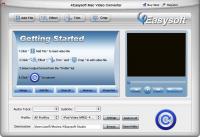
4Easysoft Mac Video Converter can convert all sorts of videos including General videos (FLV, WMV, SWF, MP4, RM, RMVB, AVI, 3GP, etc) and HD videos (TOD, MOD, M2TS, MTS, TS, MP4, MOV) to diverse players, like iPod, iPhone, iPhone OS 3.0, PSP, etc.
4Easysoft Mac Video Converter can convert all sorts of videos including General videos (FLV, WMV, SWF, MP4, RM, RMVB, AVI, 3GP, etc) and HD videos (TOD, MOD, M2TS, MTS, TS, MP4, MOV, etc) to diverse players, like iPod, iPhone, iPhone OS 3.0, PSP, Zune, Creative Zen, Wii, even Gphone and other popular mobile phones, etc. It also can extract audio from your videos to MP3, MP2, AAC, OGG, WMA, FLAC and more.
4Easysoft Mac Video Converter supports more optimized settings and functions. So, you are easy to trim, crop, merge, set video/audio settings, then apply those settings for better conversion. Moreover, this software has the cool function to add both watermarks and subtitles to videos, and it allows users to select output audio tracks.
Key functions:
1.Convert most videos in great way
Convert any video formats to your players compatible videos, including MPEG-4, H.264/MPEG-4 AVC, MOV, M4V, AVI, DivX, XviD, ASF, WMV, MPEG-1, etc.
2.Extract audio from video files, convert audio to audio
Besides converting video function, this Video Converter for Mac serves as audio converter and audio extractor, which can extract audio from video, or convert audio to AAC, AC3, AIFF, AMR, AU, FLAC, MP3, M4A, etc.
3.Video trim, crop, merge
In 4Easysoft Mac Video Converter, the edit feature allows you to get any part of your video to convert - trim, get your players suitable play region video - crop, enjoy a long video from several clips - merge.
4.Adjust video effect
In Edit column, you also can use this Mac Video Converter to adjust your video brightness, saturation and contrast according to your preference. You even can check Deinterlacing box to avoid the mosaic effect by converting interlacing video to progressive video.
5.Watermark function to make your video special and stylish
With this function, you can easily add both text and image watermarks to your videos anyway. You can adjust the size, the location and the transparency of the watermark.
Whats new in version 4.1.02:
1.Powerful watermark function to help you add both text and image watermarks to your videos. 2.Users can set different formats for each file loaded respectively then convert those files simultaneously at one click. 3.Powerful subtitle adding and audio track function to extend your enjoyment.
Requirements:
512MB RAM, Super VGA (800×600) resolution, 16-bit graphics card or higher
Operating system:
Mac OS X,Mac Other,Other
Release notes:
Major Update

 4Easysoft Mac Video Converter 4.1.02 details